 Sarosa
Paste sequentially
Copy several things, then paste them one after another.
Sarosa keeps everything you copy, so the link from this morning or the snippet from last week is a search away.
⌘Y opens it inside Sarosa
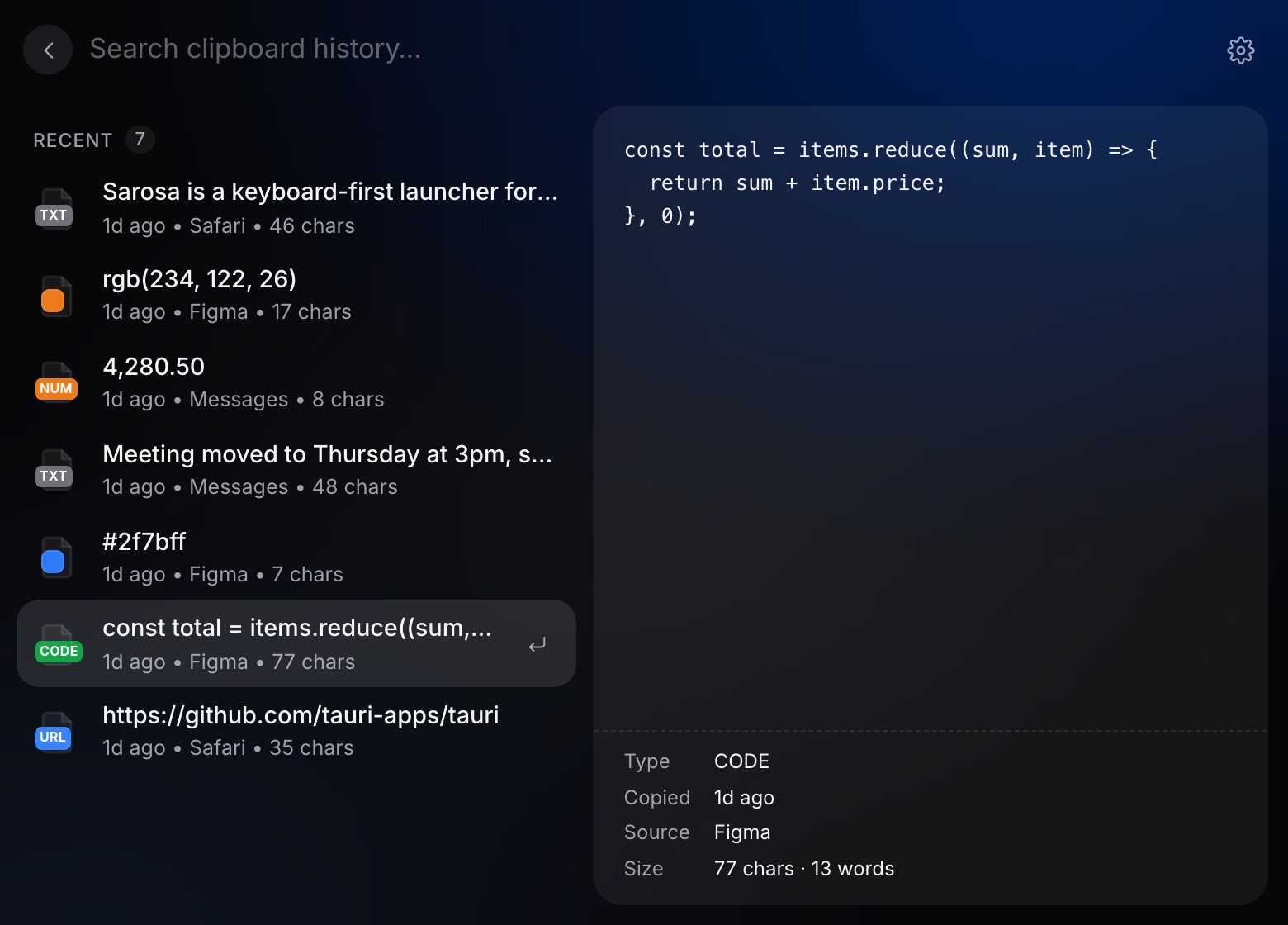
Search across your whole history. Each entry shows the app it came from, when you copied it, and what kind of thing it is: a link, a colour, code or plain text.
History is stored on your Mac and never leaves it. Anything a password manager marks as secret is skipped, so passwords don't end up in your history.
Copy several things, then paste them one after another.
AI prompts and automations can insert what's on your clipboard.
Give Clipboard History its own shortcut to open it from anywhere.
Not yet. Clipboard history keeps text: plain text, links, code and colour values.
As long as you like. By default nothing is deleted; set a limit in Settings → Clipboard.
Yes. Give it a global hotkey from ⌘K → Set Hotkey…, or press ⌘Y inside Sarosa.
Have an idea to make clipboard history better?
Suggest it