Memory
What you tell it, and what it works out, carried into every chat. Read it and edit it any time.
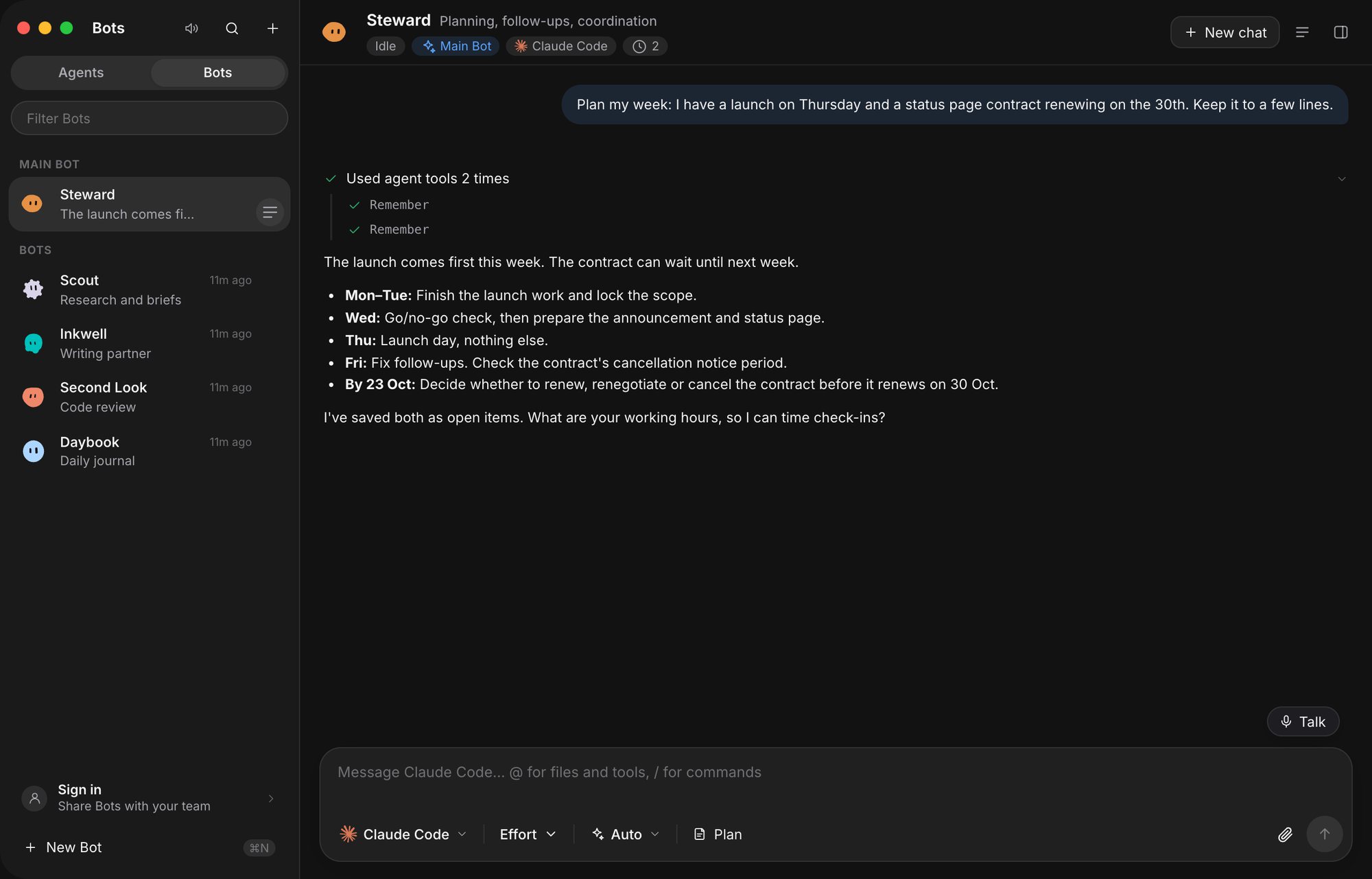
A Bot is an assistant with its own name, face, instructions and memory. It learns skills, keeps files, uses your tools, and runs routines while you get on with your day.
Each Bot runs on the coding agent you choose, with everything below added to every conversation.
What you tell it, and what it works out, carried into every chat. Read it and edit it any time.
Step-by-step instructions it learns and follows, like "Weekly review" or "Research brief".
A folder of its own for briefs, drafts and data. Drop files in, or let it write them.
Tokens and passwords kept in the macOS Keychain and handed to the Bot only when it runs.
Pick which of your MCP servers each Bot can use: GitHub, Linear, your database, anything.
Jobs it runs on its own: on a schedule, when a webhook fires, or after another Bot.
Talk to it hands-free. It answers out loud in a voice you choose for it.
A sandboxed Linux desktop (or a macOS VM) where it runs commands, clicks and types, walled off from your Mac.
Your Main Bot keeps an eye on the rest. Ask it for something and it can @-mention the right Bot, wait for the answer and bring it back to you. Edits to a Bot's memory or skills reach its open chats on the next message.
Routines run in the background and tell you when they're done. Missed one while Sarosa was closed? It runs once when Sarosa starts again.
Daily, weekdays, weekly, monthly, every few hours, once, or a cron expression.
Each routine gets its own URL, so a script, a CI job or another service can start it.
Chain Bots: when one finishes, the next picks up its result.
Each template comes with instructions, starter memory, skills and routines. Change any of it, or start from scratch.
Keeps your week in order and the other Bots on task
Researches a question and comes back with sources
Drafts and tightens your writing in your voice
A morning note and an evening wrap-up, every weekday
Reviews a diff or branch before you merge
Turns merged work into release notes people read
Sorts incoming bugs and finds likely causes
Watches dependencies and flags what needs updating
Gives structured feedback on screens and flows
Writes buttons, errors and empty states
Plans a launch from announcement to follow-up
Puts together a newsletter from the week's material
Turns one idea into posts for each channel
Drafts calm, accurate replies to customers
Turns solved tickets into help articles
Turns an idea into a one-page spec
Sorts user feedback into themes worth acting on
Turns meeting notes into decisions and action items
Tracks subscriptions, contracts and their deadlines
Writes the weekly update from scattered notes
Builds interview plans and fair scorecards
Plans a new hire's first weeks
Briefs you before every customer call
Writes follow-ups so no deal goes quiet
Share a Bot with your team. Teammates run their own copy on their Mac from your setup: instructions, skills and files. Your memory and secrets stay with you, their chats stay private, and shared team memory keeps everyone on the same page.
Team Bots can answer in Slack under their own name and picture. Slack conversations are read-only on your Mac, kept apart from the Bot's main chat, and secret values are never shown.
Each Bot runs on a coding agent you already use, such as Claude Code or Codex, with its instructions, memory, skills and files added to every conversation.
On your Mac. Secrets go in the macOS Keychain and are handed to the Bot only when it runs.
No, but a routine that was missed while Sarosa was closed runs once when Sarosa starts again.
Yes. Sign in and share a Bot: teammates run their own copy from your setup, while your memory and secrets stay with you. Team Bots can also answer in Slack.
It's a sandboxed Linux desktop (or a macOS VM you opt into) that runs walled off from your Mac.

Bots are free in Sarosa and run on the AI you already use.