 Sarosa
Everything Sarosa does, in one place
53 features across the launcher, AI, Agents and Bots. All free and all a few keystrokes away.
Built for how you work
Bots
Assistants with memory, skills, files and routines that keep working when you stop.
Learn more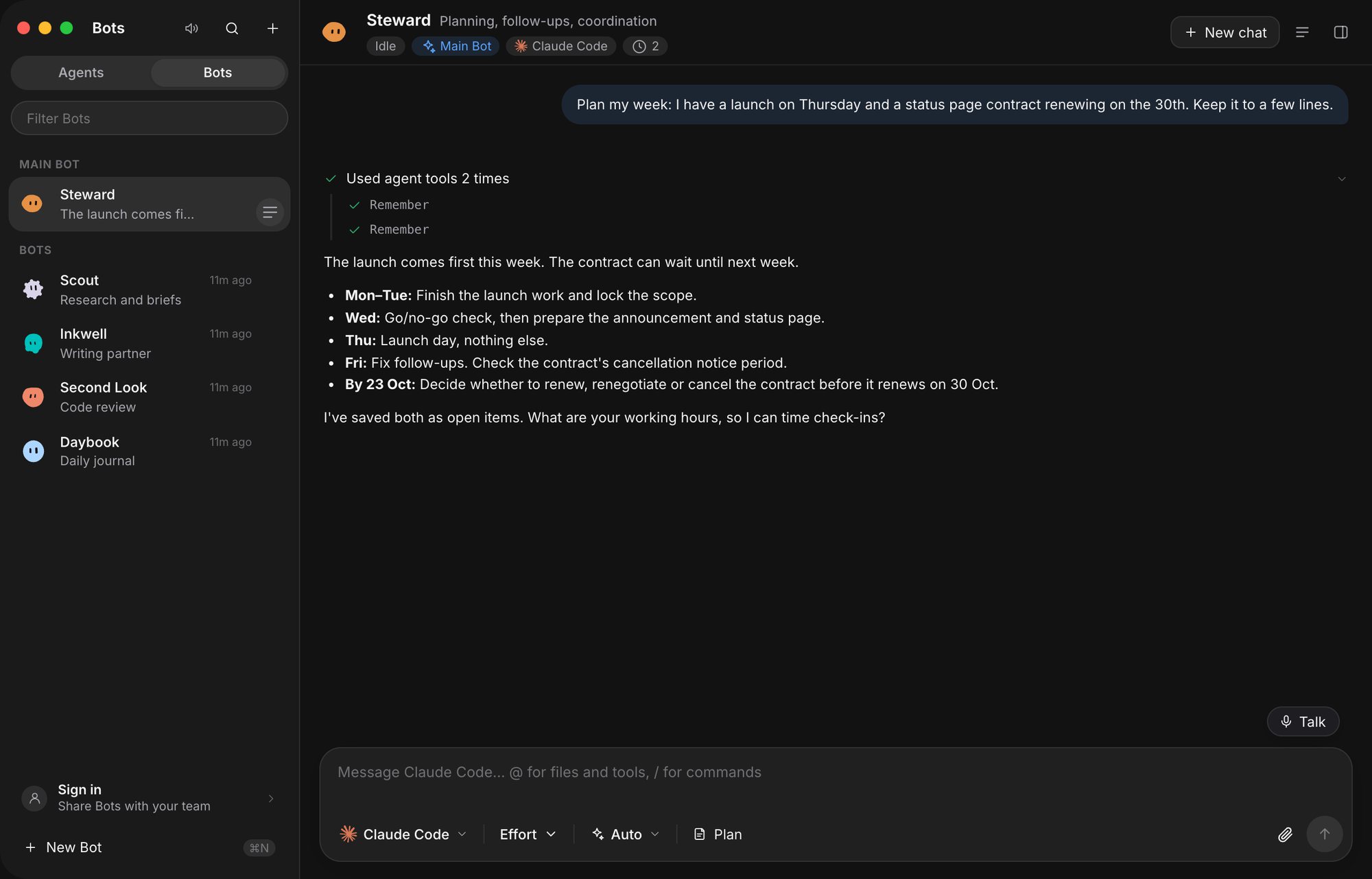
Agents
Every coding agent in one window, with diffs you can review line by line.
Learn more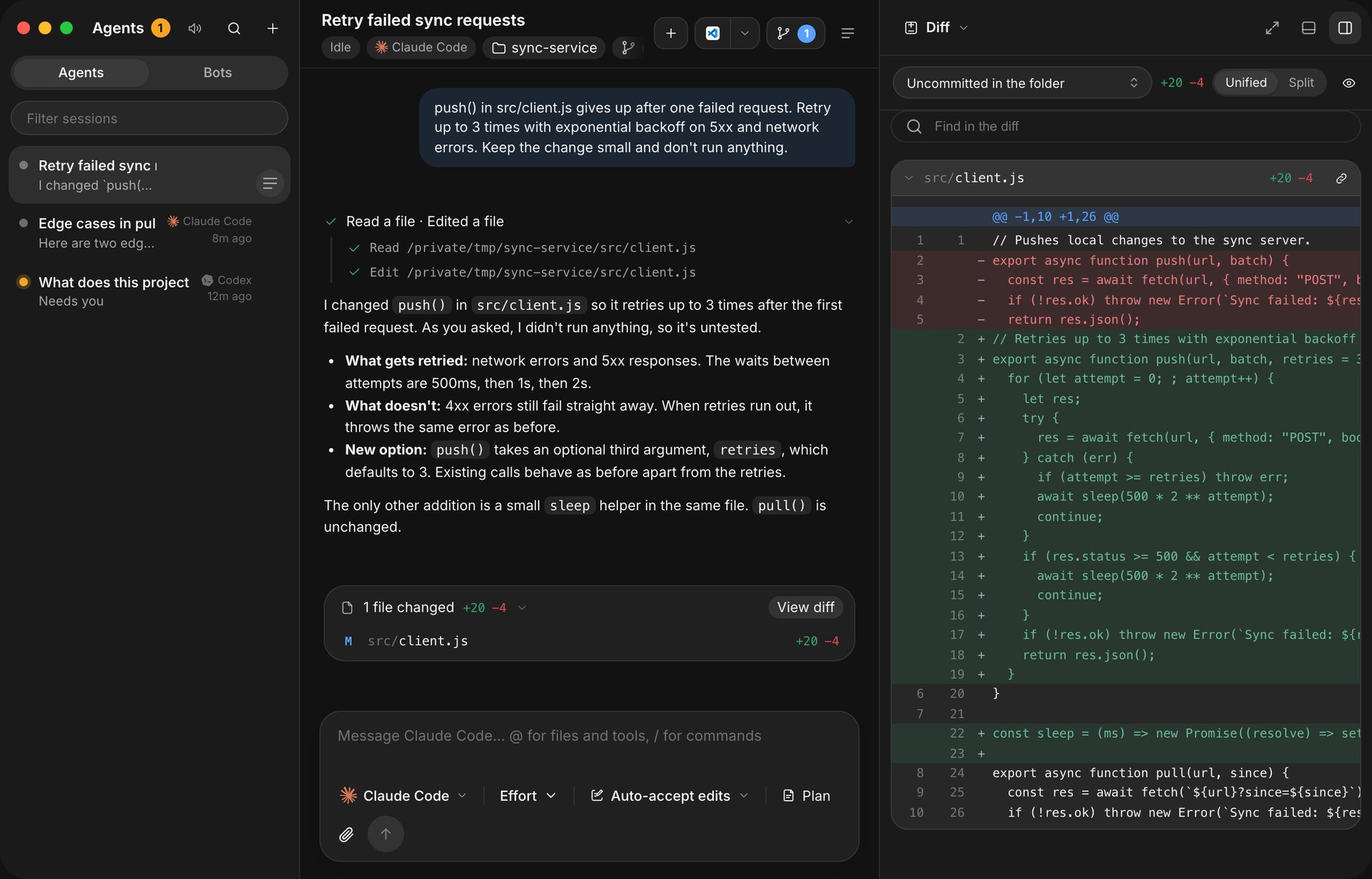
Clipboard history
Everything you copied, searchable and ready to paste.
Learn more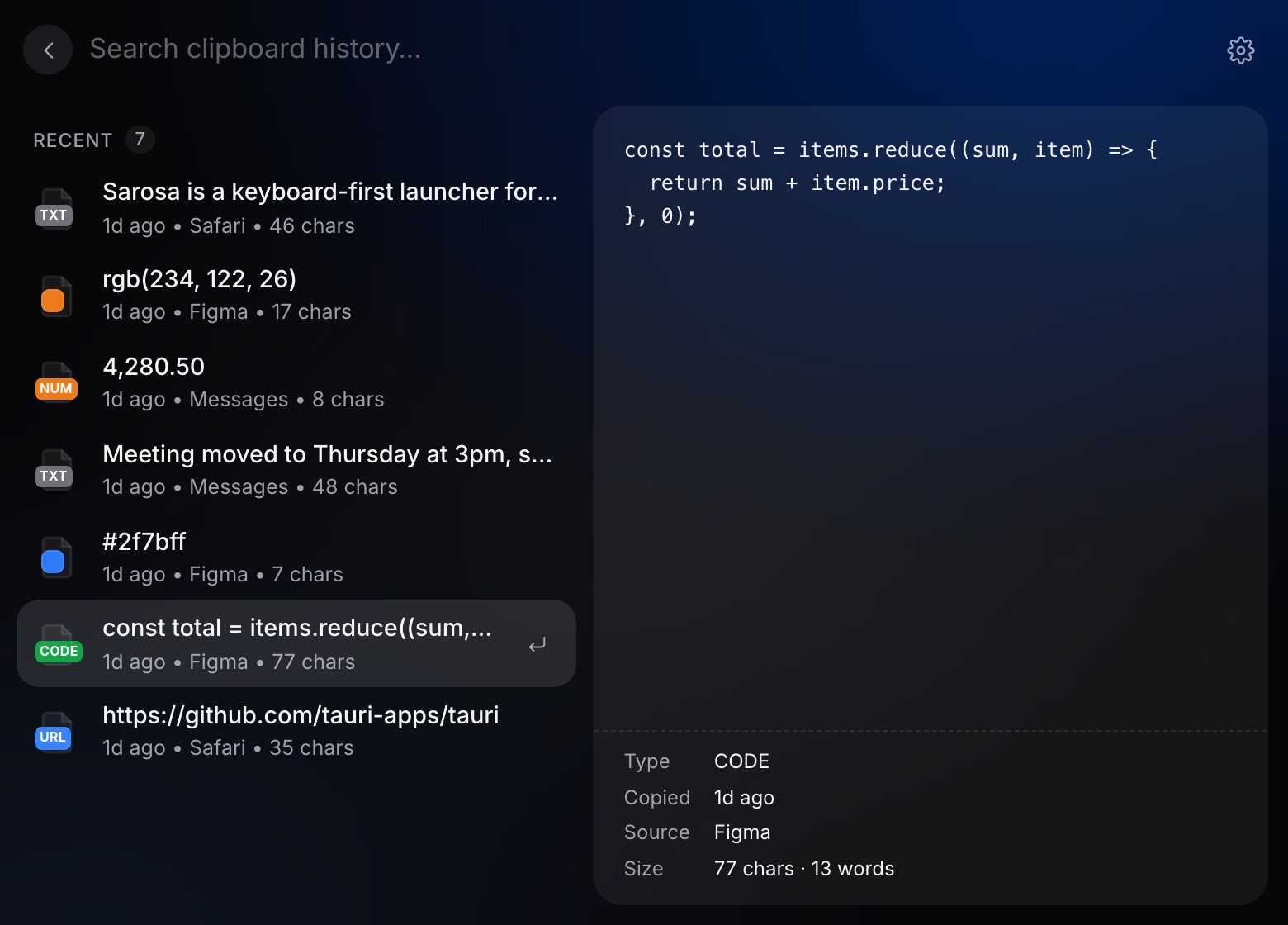
AI Chat
Ask the model you choose about what's on your screen.
Learn more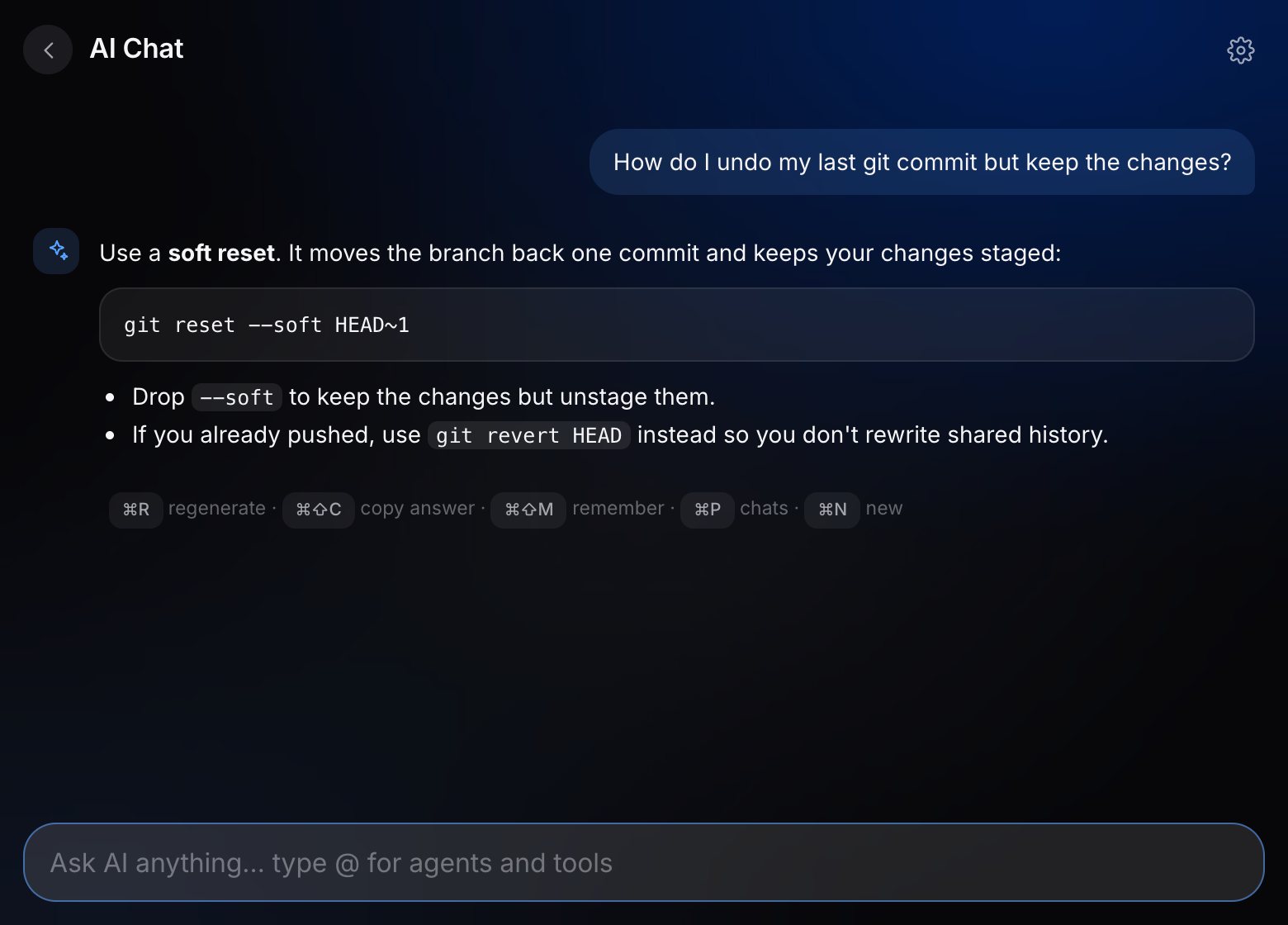
Extension Store
3,000+ extensions that feel built in.
Learn more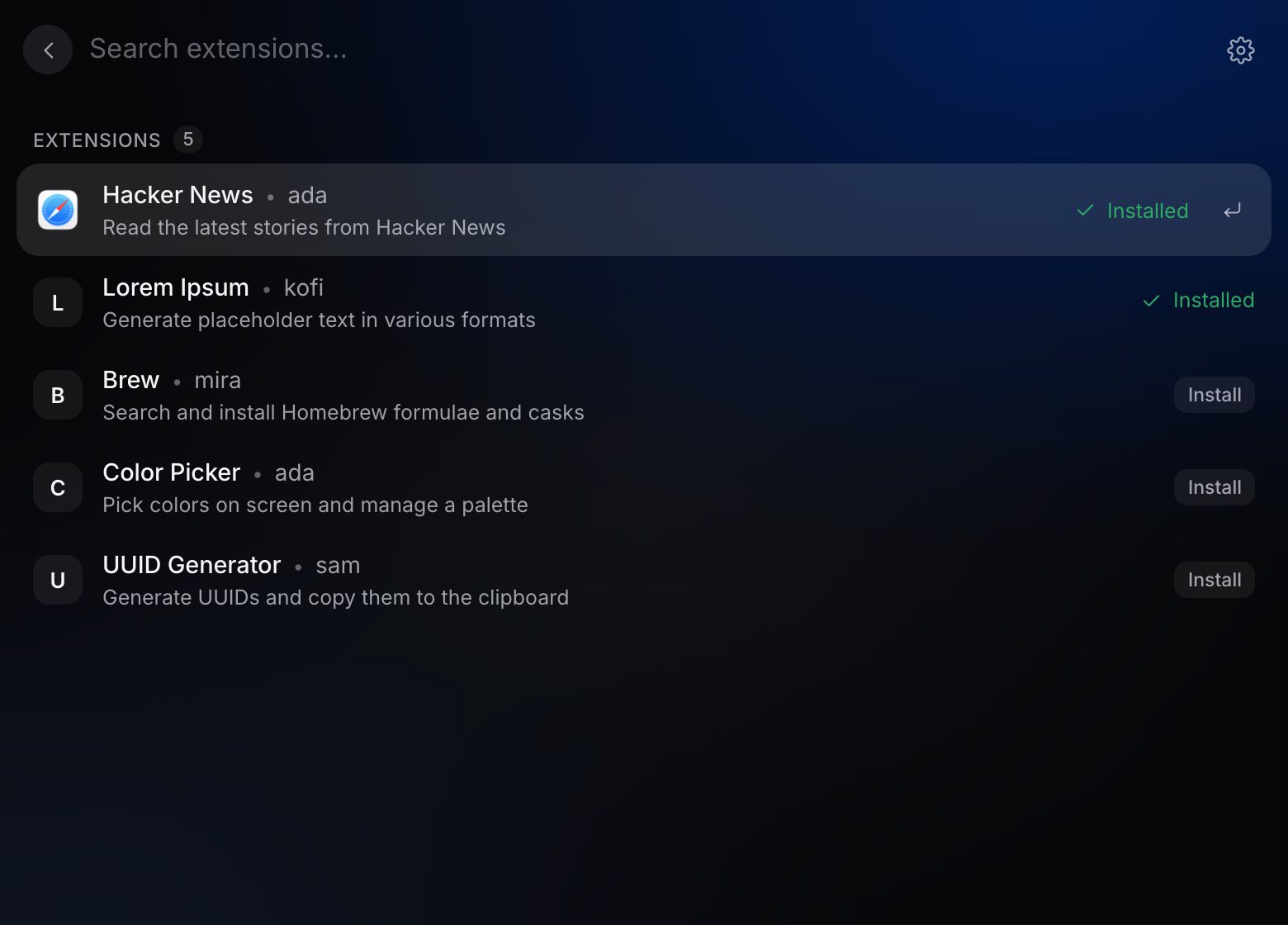
Dictation
Speak in any app; the text lands at your cursor.
Learn more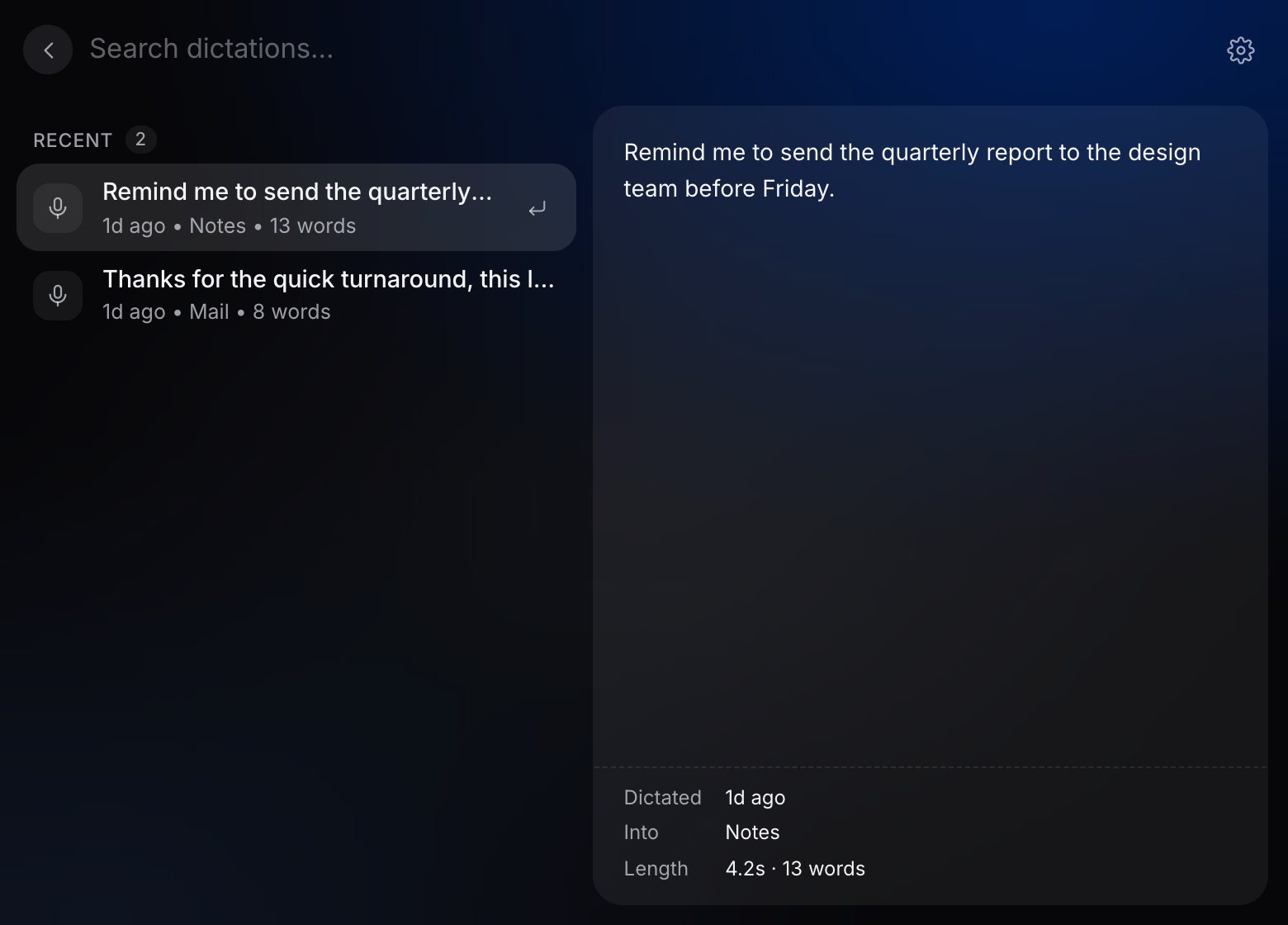
Make it yours
Themes, hotkeys and sync in a Settings window you can search.
Learn more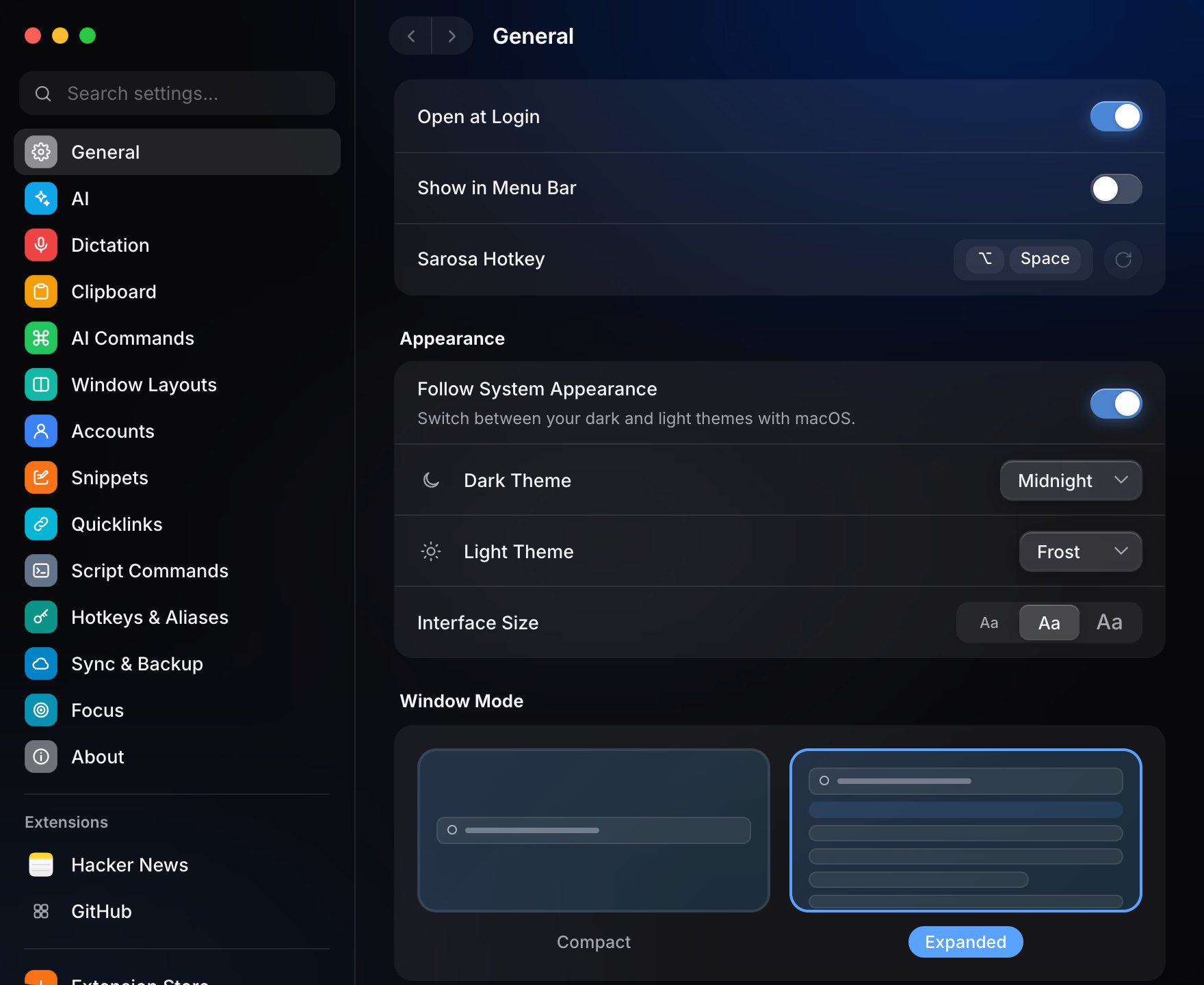
Launcher
Find and open anything
One search box for apps, files, commands and everything else Sarosa can do.
Search that learns
Fuzzy matching ranks what you use most, and keeps up as your habits change.
⌥SpaceFile search
Find files by name through Spotlight, or type a path like ~/Doc to browse folders.
Hotkeys and aliases
Give any app, command or extension its own global hotkey or a short alias.
Instant maths
Type a sum and see the answer as you type. Enter copies it, and past results are kept.
Quicklinks
Saved URLs with a {query} placeholder: search your docs, tickets or any site in one step.
macOS Shortcuts
Your Shortcuts show up in search and run straight from the launcher.
Script commands
Drop an executable script in a folder and it becomes a command, with its output streamed back.
Menu bar search
Search the front app's menu items and run one without touching the mouse.
Contacts, Dictionary, Translate
Look up a person, define a word or translate a phrase right from the search box.
System commands
Lock, sleep, empty the Trash, toggle Dark Mode or Wi-Fi, control music and more.
Clipboard & text
Copy, paste and type less
Everything you copy is kept, and the text you type most is a keyword away.
Clipboard history
Text, links, code and colours, with the app they came from. Search, preview, pin and paste back.
⌘YPaste sequentially
Copy several things, then paste them one after another in the order you copied them.
Snippets
Saved text with placeholders, pasted from the launcher or expanded in any app when you type its keyword.
Emoji and symbols
Search every emoji and symbol by name and paste it where you are.
Passwords skipped
Anything a password manager marks as secret never enters your history.
Windows & apps
Keep your desktop in order
Arrange windows, switch between them, and tidy up apps you no longer need.
Window management
Halves, thirds, quarters, centre, maximise, next display and next Space, all from the keyboard.
Saved layouts
Save how your windows are arranged and bring the whole layout back in one command.
Switch windows
Search every open window across apps and jump straight to it.
Auto-quit
Quit chosen apps after they've sat unused for a while.
Uninstall apps
Remove an app along with the support files it leaves in your Library. Everything goes to the Trash.
Screenshots
Browse, open and copy your recent screenshots.
Games
Steam games and installed game apps, searchable alongside everything else.
AI
AI that knows what you're doing
Use the subscriptions and keys you already have. Sarosa only talks to the services you connect.
AI Chat
Answers stream in with code and formatting. Chats are saved and searchable.
⌘JAI Commands
Rewrite, translate, summarise or explain the text you selected or copied, with prompts you can edit.
Your choice of model
Claude Code, Codex and Cursor sign-ins, or API keys for Claude, OpenAI, Gemini, xAI, Kimi, DeepSeek, Mistral, Groq and OpenRouter.
Screen awareness
Send the screen, a window, an area or the selected text to AI and ask about it.
Deep Research
Ask a hard question; it searches, reads and comes back with a cited report.
MCP servers
Install MCP servers once and use their tools in AI Chat, Agents and Bots.
@-mentions
Bring a file, a session or any installed extension into the conversation with @.
Automations
Run a prompt on a schedule, with your clipboard or the date filled in, and get the answer as a notification.
Agents
Every coding agent in one window
Claude Code, Codex, Cursor, Grok and OpenCode sessions, with diffs you can review and comment on.
Many agents, one place
Start sessions on any installed agent and switch between them mid-task without losing the thread.
⌥⌘AReview like a pull request
Unified or split diffs, find in diff, and comments on a line that go straight back to the agent.
Rewind and fork
Undo a turn and its file changes, or branch the session to try another approach.
Usage limits
See how much of your Claude and Codex plan you've used, and when it resets.
Bots
Assistants that keep working
Bots have their own memory, skills, files and routines, and can hand work to each other.
Bots with a face and a job
Start from 24 templates, from research to release notes, or write your own instructions.
Memory and skills
Bots remember what matters and learn step-by-step skills you can read and edit.
Routines
Run on a schedule, when a webhook fires, or when another Bot finishes.
Teams and Slack
Share a Bot with your team, or let it answer in Slack under its own name.
Voice & focus
Talk, write and focus
Dictate anywhere, keep notes close, and protect time for deep work.
Dictation anywhere
Press the shortcut, speak, and the text lands at your cursor, transcribed on your Mac.
⌥⇧SpaceDictation history
Every dictation is kept, so you can find and paste it again.
Floating Notes
Markdown notes that float above your work and are searchable from the launcher.
My Schedule
Today's events from Calendar, with the next video call one keystroke away. Create events in plain words.
Focus sessions
A timer that hides distracting apps the moment they come forward, with categories you set.
Typing practice
A quick typing test with your speed and accuracy.
Extensions
3,000+ extensions
A catalog of open-source extensions that render native lists, forms and detail views.
Extension Store
Browse, install and update extensions without leaving the launcher.
⌘EIsolated and safe
Each extension runs in its own worker, so a slow one can't freeze the launcher.
Sign in to services
GitHub, Linear, Slack and more, with tokens kept in the Keychain.
Extensions as AI tools
Mention an extension with @ and AI can use it for you.
Make it yours
Settings that make sense
Themes, hotkeys and sync, all in a Settings window you can search.
Themes
Light and dark themes that follow macOS, in a frosted window that lets your wallpaper through.
Searchable Settings
Every option is a few keystrokes away.
iCloud sync
Settings, AI Commands, themes, window layouts and aliases sync across your Macs. Secrets never leave the Keychain.
Backup
Export everything to one file and import it on another Mac.
Local first
History, chats, sessions and Bots are stored on your Mac. No account needed.
Missing something?
Tell us what you'd like Sarosa to do. Requests are GitHub issues, so you can follow along, and a 👍 on an existing request helps us decide what to build next.
See what others asked forBring the AI you already use
Sign in with your coding-agent plans, or add a key for any of these services.
 Claude
 Claude Code
 Codex
%20--%3e%3cdefs%3e%3cstyle%3e%20.st0%20{%20fill:%20%23edecec;%20}%20%3c/style%3e%3c/defs%3e%3cpath%20class='st0'%20d='M457.43,125.94L244.42,2.96c-6.84-3.95-15.28-3.95-22.12,0L9.3,125.94c-5.75,3.32-9.3,9.46-9.3,16.11v247.99c0,6.65,3.55,12.79,9.3,16.11l213.01,122.98c6.84,3.95,15.28,3.95,22.12,0l213.01-122.98c5.75-3.32,9.3-9.46,9.3-16.11v-247.99c0-6.65-3.55-12.79-9.3-16.11h-.01ZM444.05,151.99l-205.63,356.16c-1.39,2.4-5.06,1.42-5.06-1.36v-233.21c0-4.66-2.49-8.97-6.53-11.31L24.87,145.67c-2.4-1.39-1.42-5.06,1.36-5.06h411.26c5.84,0,9.49,6.33,6.57,11.39h-.01Z'/%3e%3c/svg%3e) Cursor
 Grok
 OpenCode
 OpenAI
 Gemini
 xAI
 Kimi
 DeepSeek
 Mistral
 Groq
 OpenRouter
Frequently asked questions
Yes. Every feature on this page is free. AI features use the plans or API keys you connect.
No. Press ⌥ Space and start typing. Everything else is there when you need it, and you can turn off what you don't use in Settings.
Please do. Use the form on this page; requests are GitHub issues, so you can follow along and vote with a 👍.
Yes, without code: Script commands, Quicklinks, Snippets and AI Commands all become part of search.